Professional
Workout Videos,
in minutes.
Fit Cut Pro is a browser-based workout video maker for personal trainers. Plan the sets or upload a class you already filmed, and it adds countdown timers, exercise names, rest screens, licensed music and your logo automatically, speaks your voice cues at the right moments, then exports an MP4 up to 4K or runs the same overlay live in Zoom. Plans from $49.99/month. 14-day free trial, no credit card.
- 10,000+Workouts created
- 1,200+Trainers worldwide
- 4KExport quality
- 5 minPlan to finished video
Live workouts.
Pro fitness videos.
One tool.
Film a class in one take, stream it on Zoom or build it from your clips. Fit Cut Pro replaces the editor, the timer app and the brand designer with one workflow.
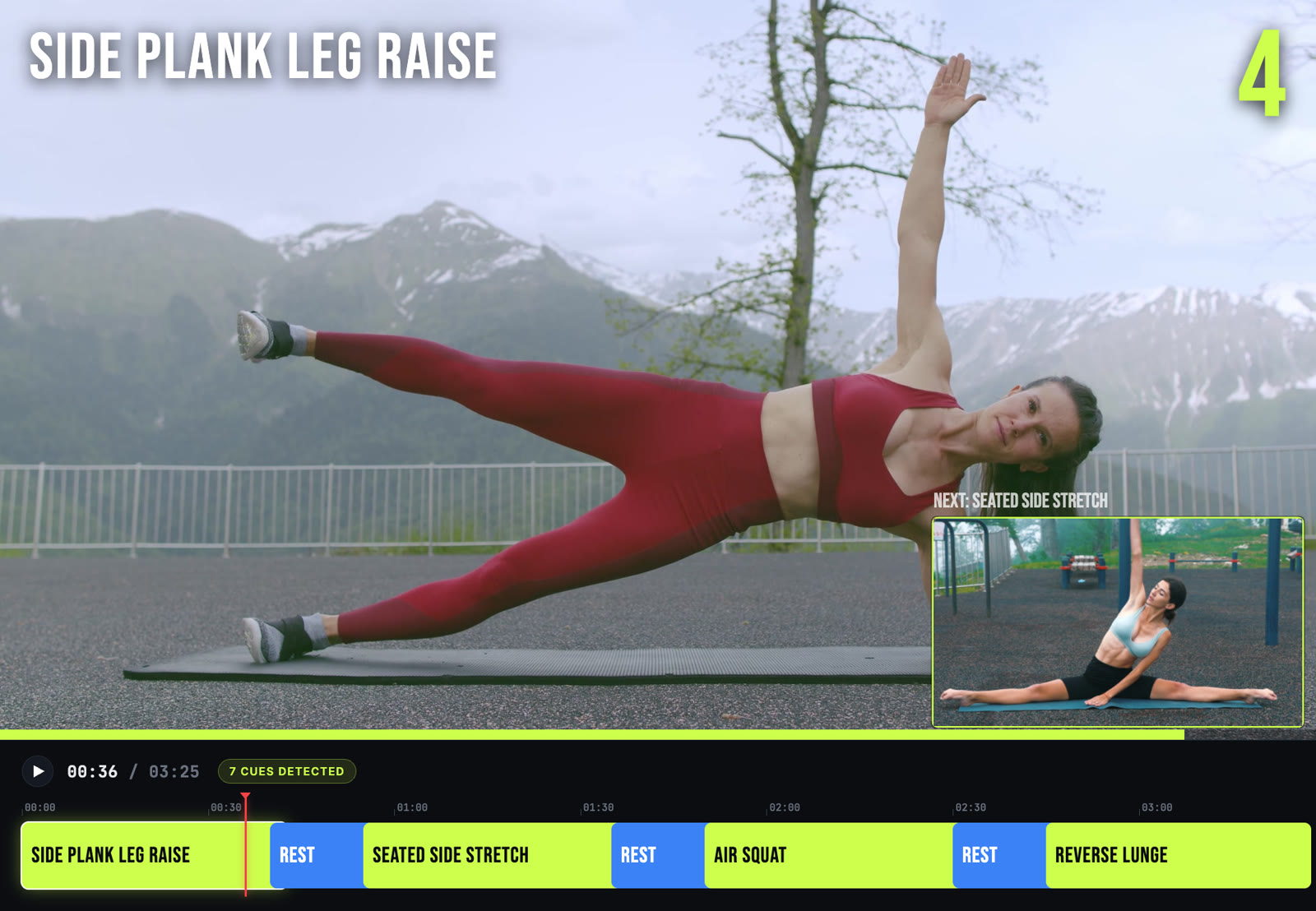
Upload a class. AI edits it.
- Upload one recording of your class, straight from your phone or camera (MP4 or MOV, up to 25 GB).
- AI finds every exercise and rest, and names each one.
- Countdown timers, exercise names, next-exercise previews and your logo, laid over your own footage.
- Review the cues, pick a look, export the MP4.
A 30-minute class usually takes under five minutes to analyse. Included in every plan and in the 14-day free trial.
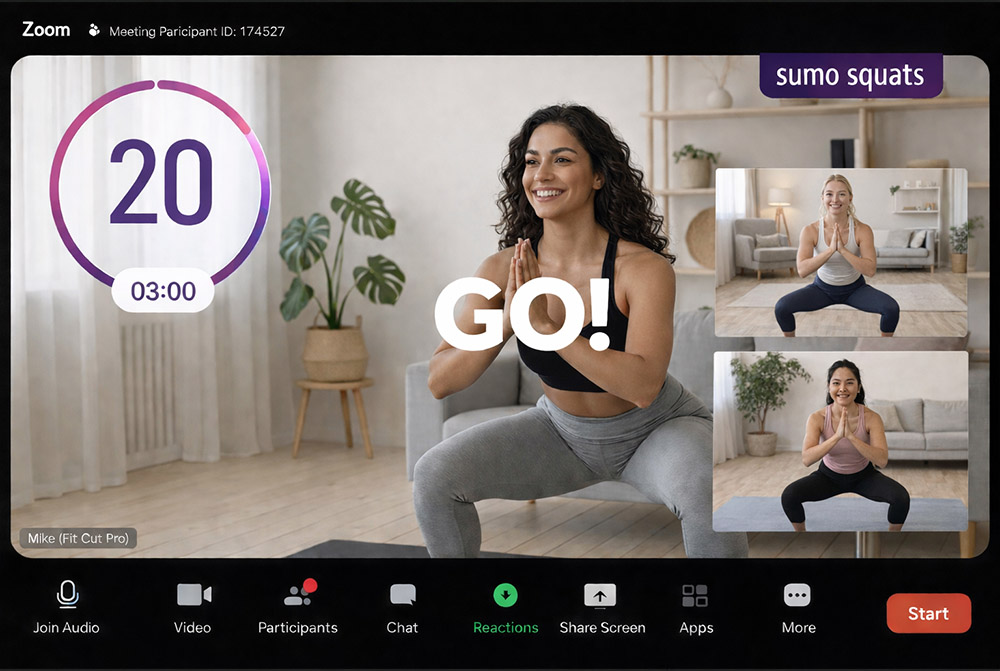
Overlay live Zoom workouts
- Build a workout plan and display it live on Zoom in one click.
- Automatic timer, animated graphics and exercise transitions.
- Auto-shows the next exercise demo clip — no fumbling on camera.
- Your trainees see studio-quality coaching from any home gym.
Transform live Zoom sessions with broadcast-quality timer overlays, exercise names and animated transitions. Your clients get a TV-grade experience from anywhere — and you stop calling out times by hand.
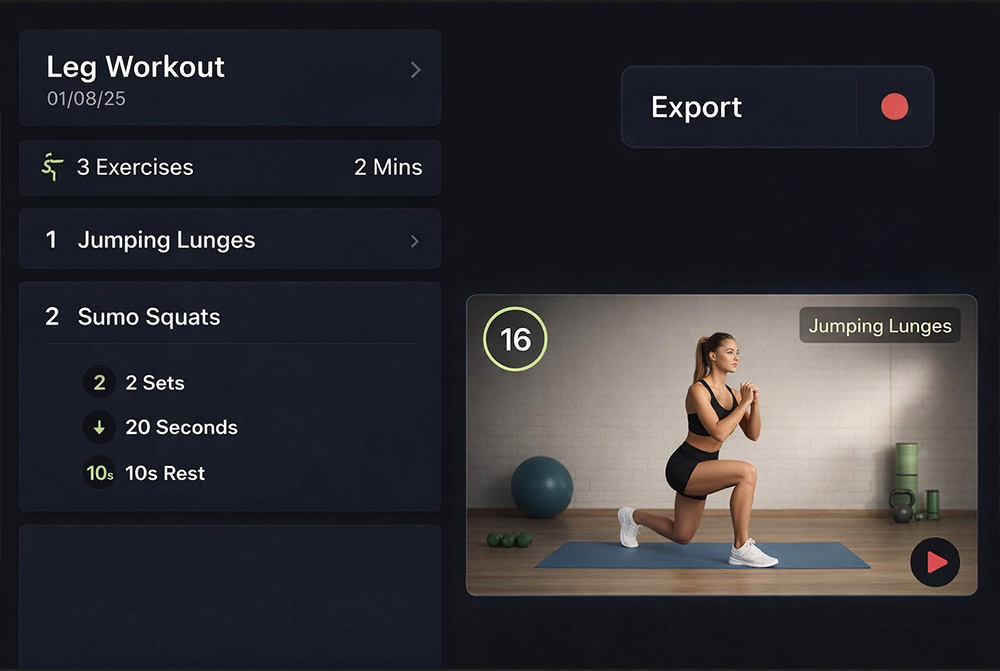
Create professional videos
- Turn any workout plan into a finished video automatically.
- Upload up to 1,000 exercise clips into your library.
- 1080p–4K export, hardware accelerated from your browser.
- Style the timer, theme color, exercise names and logo to your brand.
The video editor built specifically for personal trainers. No timeline, no cuts — Fit Cut Pro auto-assembles countdown timers, labels, branded graphics and transitions. Export and post to YouTube, Instagram or your client library.

Your voice on every exercise
- Read a 90-second script once; every line you type is spoken in your own AI voice (Pro and Ultimate).
- Exercise names, form instructions and trainer cues, played at the right moment in every workout.
- The ✨ button writes a form tip for each exercise in your app language.
- Or record, upload or pick a stock AI voice. Music dips under every line.
Can Fit Cut Pro add voice instructions to my workout videos? Yes, even in your own voice. On Pro and Ultimate you read a script of about 90 seconds once, and every line you type is then spoken in your voice: each exercise name in the rest before it, a form tip at its first set, and cues such as Rest, Next, Last round and a spoken 3-2-1-Go, in videos made with the Creator or the Editor. Recording or uploading your own lines is free on any plan; AI voice lines are on paid plans at 1 AI credit per 250 characters.
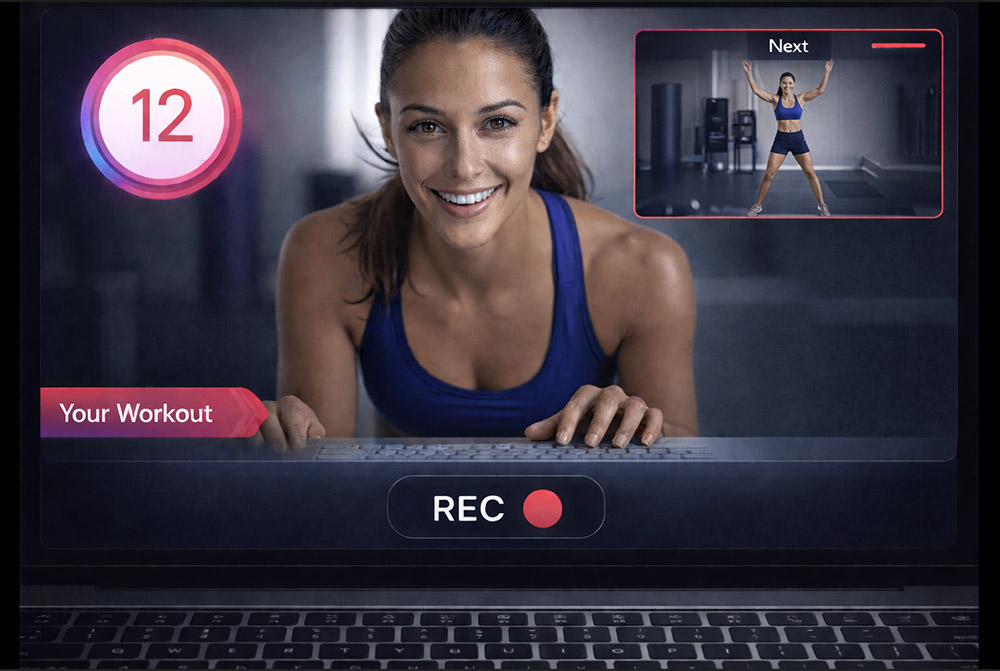
Record with real-time graphics
- Train alongside the camera while we add timer and graphics live.
- Logo, exercise names and next-exercise preview baked in real time.
- Auto intro, outro and transition effects — no editing software.
- Download a finished video the moment your set is done.
Press record and perform the workout. We composite the timer, exercise names and brand graphics in real time — when you finish the set, the finished video is already exported.
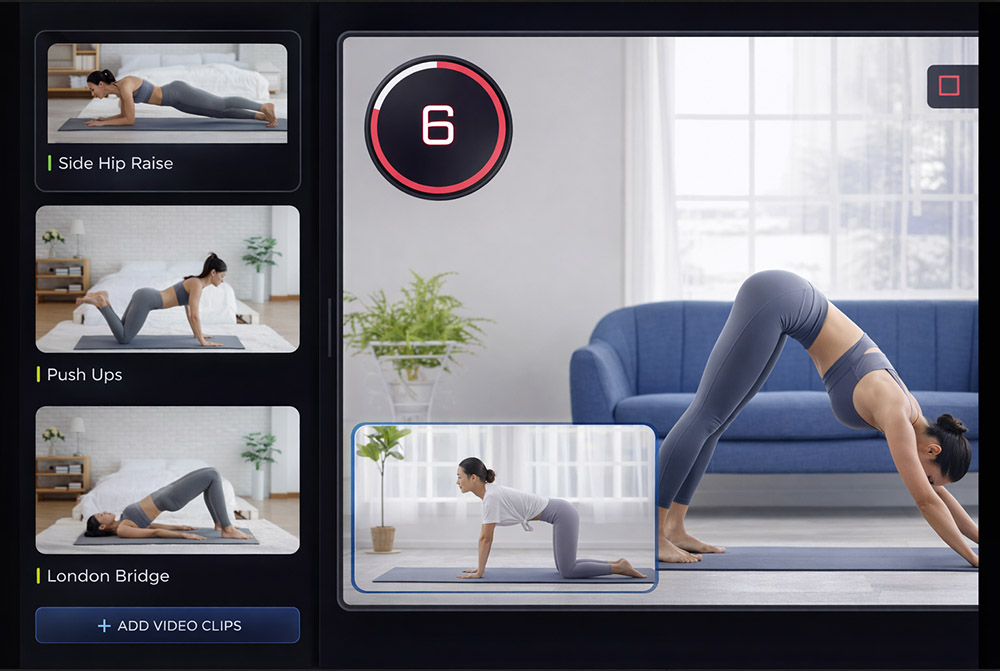
Create workouts automatically
- Upload your demo clips once — Fit Cut Pro links them by name.
- Reuse one library across dozens of unique workout videos.
- Customize duration, reps and rest per exercise in seconds.
- Zero editing skill needed. Zero post-production time.
Build your demo clip library once and reuse it forever. Plan a workout — Fit Cut Pro composes the video from your existing clips, with the timing and reps you set.
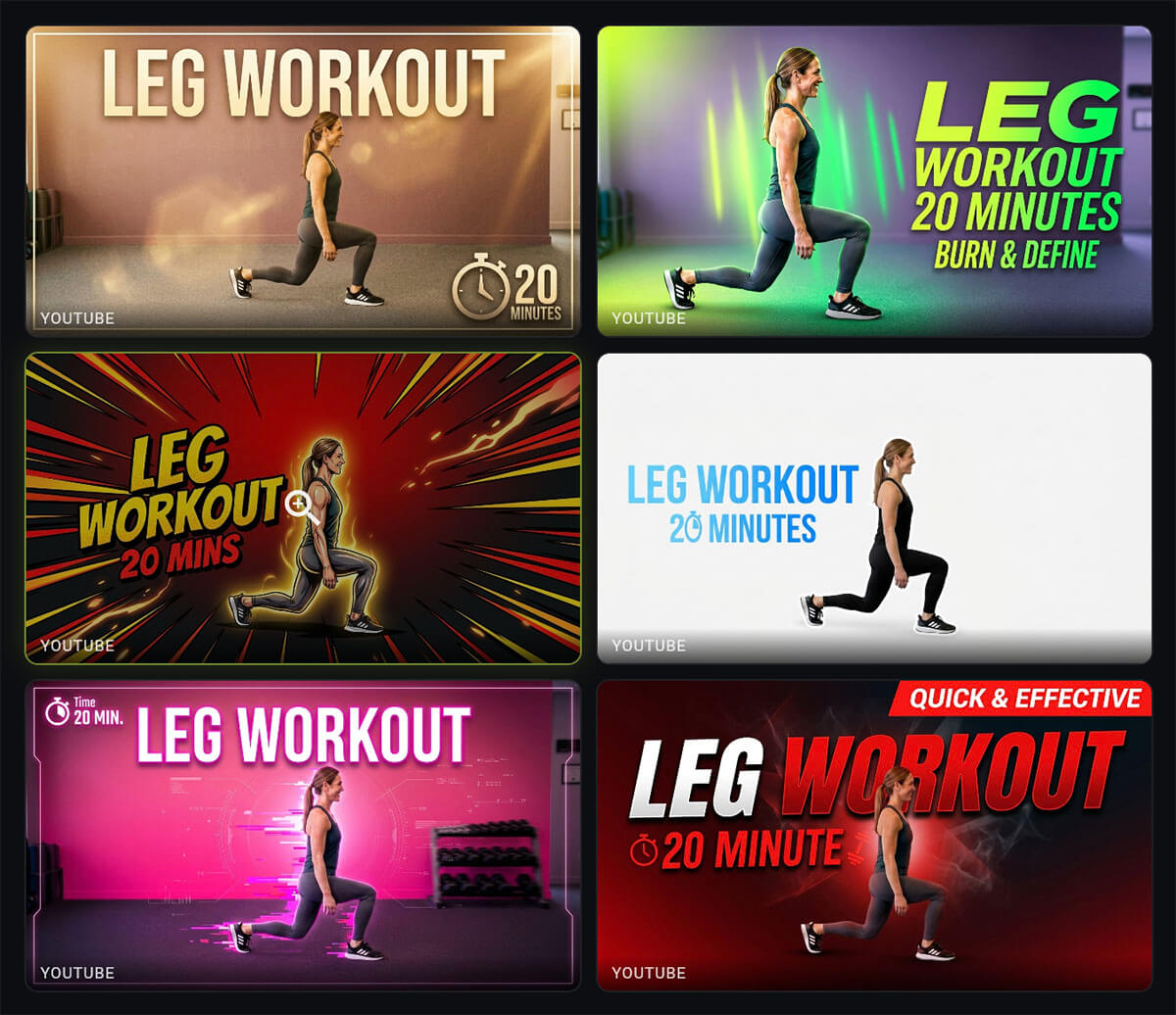
Pro thumbnails in seconds
- Upload one workout frame — AI builds a high-res thumbnail around it.
- 8 visual styles: electric neon to minimalist studio.
- YouTube 16:9, Instagram 9:16 and circular logo formats.
- Your face, pose and outfit stay pixel-perfect. AI enhances the scene, not you.
Turn any workout frame into a scroll-stopping thumbnail. Pick a style, click generate, get a high-res image — for YouTube, Instagram or a fitness brand mark. No Photoshop, no designer.
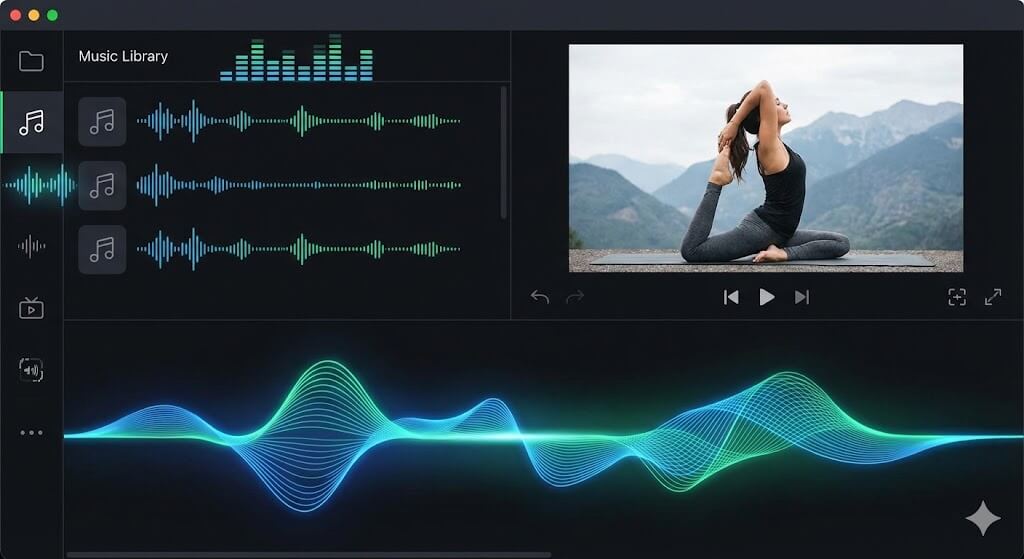
Add music to your videos
- Growing library of licensed tracks, sorted by mood: Intense, Relaxed, Rhythm.
- Independent volume sliders to balance music against your coaching cues.
- Hardware-accelerated export, right from your browser.
- Zero copyright risk on YouTube, Instagram or anywhere else.
Royalty-free music in seconds. Pick a mood, mix the levels, hit export — every track is fully licensed for commercial use on every major platform.
AMRAP display — all at once
- Every exercise and rep count visible on one screen at once.
- In recordings, demo clips play alongside the rep list.
- Built for AMRAP circuits, bootcamps and HIIT group classes.
- Works in both the recorder and live Zoom sessions.
Show the whole circuit at once — names, reps, demo clips. Trainees cycle rounds without prompts; you focus on coaching, not calling out exercises.
Direct Zoom integration
Plug into Zoom for live workouts in one click — no setup.
Tailored plans
Build workouts that match your trainees' goals and ability.
Integrated timer
Auto-synced exercise and rest periods, every video, every time.
Instant export
Hardware-accelerated render, ready for any platform.
Watch it actually work
Not a sizzle reel — real screen-by-screen walkthroughs with narration, from a blank library to a finished, branded workout video. Start with the first one and you will have made a video by the end of it.
 1:57
How to Make Your First Workout Video
The complete golden path, start to finish: clips, workout, design, export.
 1:35
How to Add Timers to a Workout Video Automatically
One recording in, a finished workout video out: the AI finds every exercise and rest, you check the cues and export.
 1:13
How to Record a Workout Video With a Live Timer
Film yourself with the timer and graphics already burned in.
 1:20
How to Set Up the Zoom Workout Timer
Put the countdown timer on your camera during a live Zoom class.
Pick a plan.
Cancel anytime.
Every plan includes the full editor, the Zoom timer, the music library and 4K export on Pro and Ultimate. Pay monthly. No contracts.
- 10 Workouts per month
- 100 Cloud exercise limit
- 30 mins Max workout time
- 1080p Max export quality
- 30 AI credits / month (images, video clips, voice lines)
- AI voice cloning
- Premium Support
- Zoom Timer & Overlay App
- Portrait for Instagram
- 40 Workouts per month
- 300 Cloud exercise limit
- 90 mins Max workout time
- 4K Max export quality
- 100 AI credits / month (images, video clips, voice lines)
- AI voice cloning
- Premium Support
- Zoom Timer & Overlay App
- Portrait for Instagram
FIT AI images cost 1 AI credit and video clips 10. AI credits also pay for AI voice lines: 1 credit per started 250 characters. The general trainer cues in a stock AI voice are free, recording or uploading your own lines is free on every plan, and your own AI voice is included on Pro and Ultimate. Voice cues